Ways to use xcube Viewer
There are several ways to use xcube Viewer, depending on whether you want to explore data interactively, serve data from an xcube Server, or build a standalone deployment.
Jupyter Notebook
Use this option when you want to explore data from a notebook. It is useful for interactive analysis, development, and quick checks before preparing a server-backed Viewer deployment.
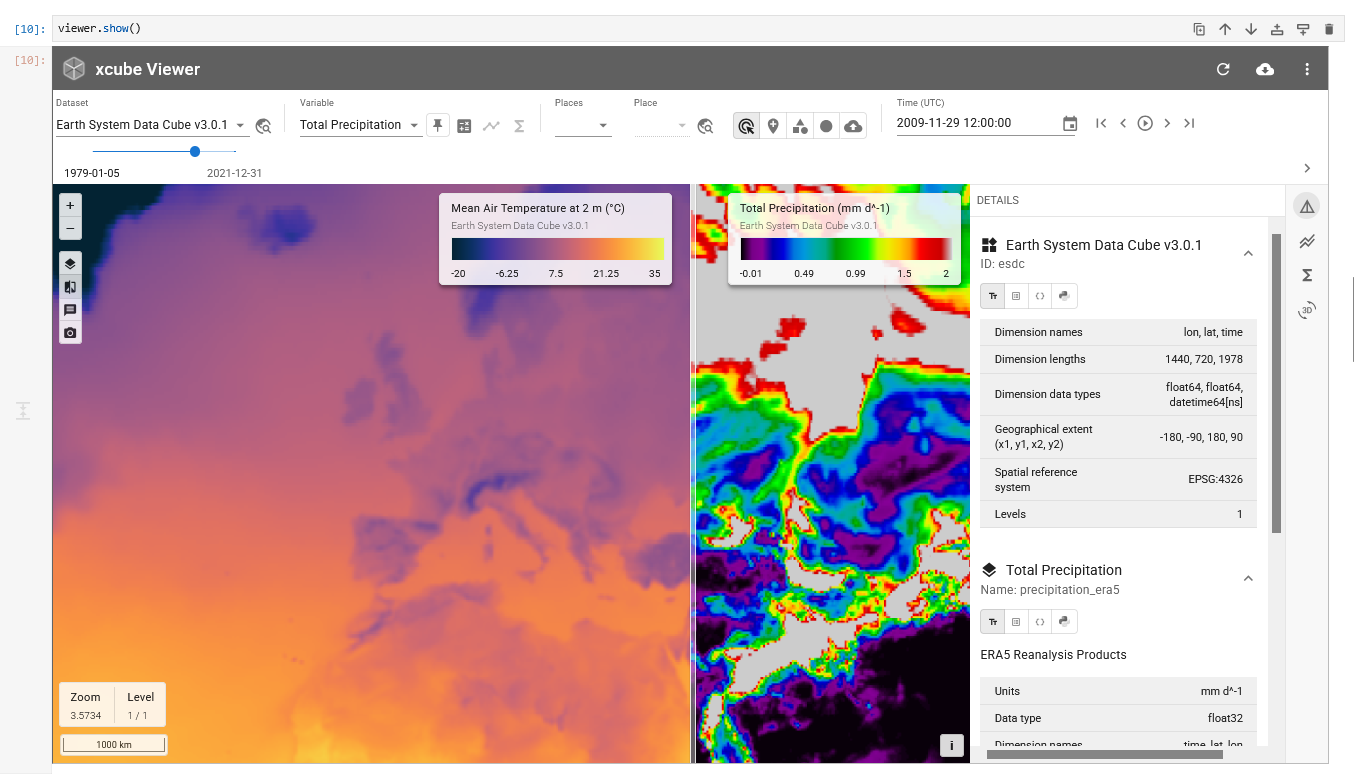
See how to use the Viewer in a Jupyter Notebook in this example notebook.
xcube CLI
xcube Viewer is bundled with the
xcube Python package. Run xcube Server
with a server configuration and open the Viewer through the server endpoint
/viewer.
xcube serve -c server-config.yaml
When run locally without a URL prefix, the Viewer is available at
http://127.0.0.1/viewer.
For learning how to set up an xcube Server, see the xcube documentation.
Build and Deploy
You can also build and deploy your own Viewer instance. In the latter case, visit the xcube Viewer repository on GitHub and follow the instructions provided in the related README file.
The README includes instructions for running the Viewer in development mode,
building the dist output, and updating the Viewer bundle used by xcube.